Finding SEO keywords
The beginning of search engine optimization (SEO).
Web Design from Cologne


The beginning of search engine optimization (SEO).

To optimize a website for specific search terms, these first have to be defined or found. For this, it makes sense to check which search terms are searched for and how often per month and how “competitive” these search terms are. There is no point in optimizing a website for search terms that nobody searches for.
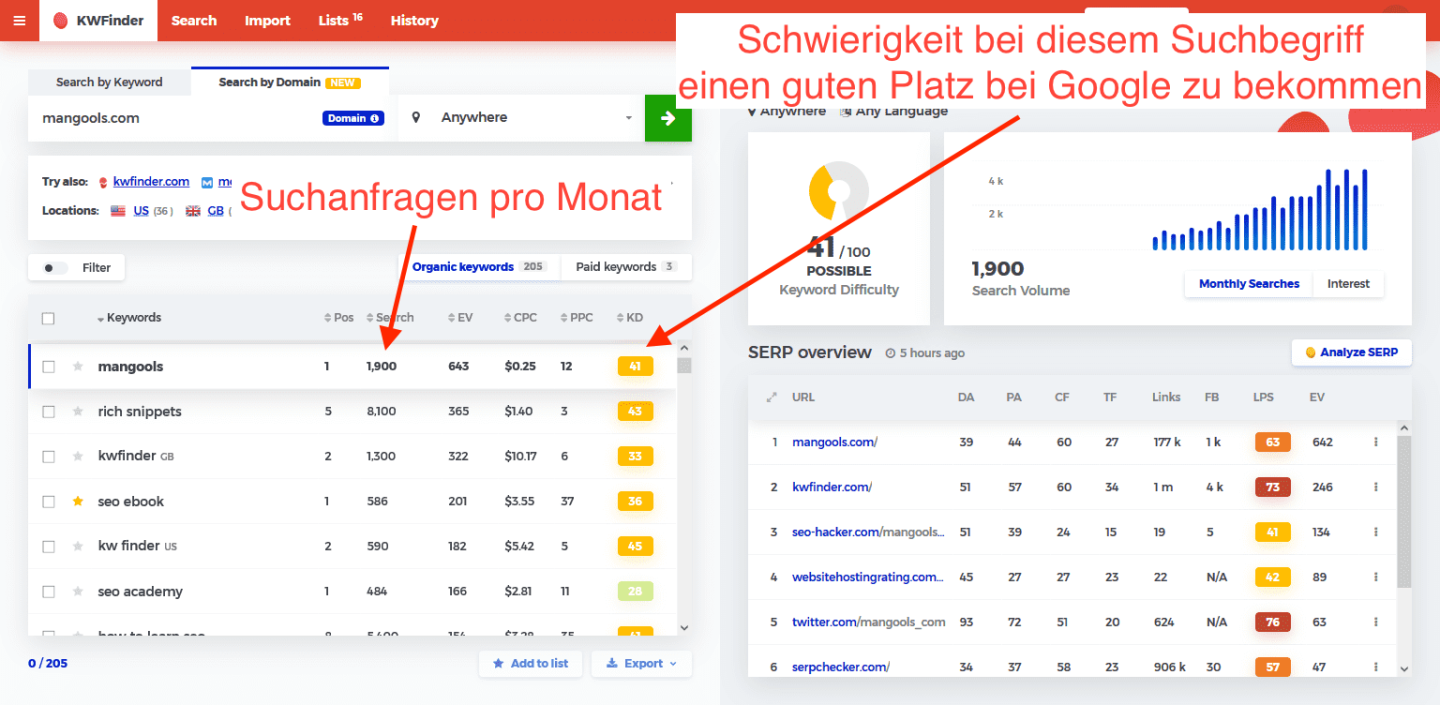
There are numerous free and paid tools for obtaining this information. A very clearly organized tool with very accurate data is kwfinder.com by Mangools. However, you have to register there, and only the first 10 days are free.

If the competition is very strong, you should try to find a niche, especially with a new website. If, for example, the search term “zahnarzt köln” is already highly competitive, you could look at what else people search for in this context. If there is a search term that is less fiercely competitive and is still searched for frequently, the website should be optimized for that term. In the example above, this could be “zahnarzt köln südstadt”, “zahnreinigung köln” or “zahnarztpraxis köln”.
Besides kwfinder, several tools let you find and assess search terms free of charge on an ongoing basis:
The Keyword Planner is part of Google Ads and usable with a free Google account. It shows search-volume ranges and related terms straight from Google's data – ideal for a first overview of what people actually search for.
Google Search itself is a keyword tool: autocomplete (Suggest) reveals common queries as you type, and the „People also ask" box provides real questions around your topic. Both are free, need no registration – and show how people really search.
Ubersuggest provides search volume, keyword ideas and a rough competition estimate. A limited number of queries per day is free – usually enough for initial research.
AnswerThePublic groups question, comparison and preposition searches around a term and is great for finding topics and niches (see above). Again, a few queries per day are free.
For most smaller websites, the combination of Google Suggest, „People also ask" and the Keyword Planner is entirely enough to find useful search terms – at no cost. I'm happy to help you with this.
Finding keywords is the beginning – they still need a site that plays along technically. How I build sites is described under web design Cologne – and what it costs is stated plainly on the price overview.